
How to Fix a Wobbly Ceiling Fan Safely
A ceiling fan that shakes, sways, or makes a clicking sound is usually dealing with a loose connection, an unbalanced blade, or a mounting problem. Small movement can be harmless at low speed, but increasing vibration may loosen screws, damage the ceiling, or place stress on the electrical box.
Fixing the problem starts with identifying where the movement begins. Watch the fan while it runs, then switch off power before touching the blades, canopy, downrod, or mounting bracket. A careful inspection can often resolve the issue without replacing the entire fixture.
Start With A Safe Inspection
Turn the fan off at the wall switch and use the circuit breaker to cut power before performing any hands-on work. Do not rely only on the remote control or wall switch, since an accidental activation could cause injury. If the fan is mounted high on the ceiling, use a stable ladder and have someone steady it.
Check whether the entire fan moves where it meets the ceiling or whether only the blades appear to wobble. A loose canopy may point to a mounting issue, while a smooth ceiling mount with uneven blade movement usually indicates balance, blade alignment, or a damaged component.
Look for cracked blade brackets, bent metal, missing screws, and gaps between the ceiling plate and the electrical box. Also inspect the downrod, decorative cover, and light kit for visible movement. Stop the inspection if you see a sagging electrical box, damaged wiring, scorch marks, or a fan that pulls away from the ceiling.
Tighten The Mounting Hardware
The mounting bracket must be secured to a fan-rated electrical box or directly to suitable structural framing. A standard ceiling-light box may not be strong enough to handle the weight and vibration of a fan. If the box shifts when you gently push the fan body, the issue requires more than tightening visible screws.
Remove or loosen the canopy according to the manufacturer’s instructions to access the mounting hardware. Tighten the screws that connect the bracket to the electrical box, then check the screws connecting the fan assembly to the bracket. Do not overtighten until the bracket bends or the box becomes damaged.
Inspect the downrod connection as well. The retaining pin and safety clip should be correctly installed, and the set screws should be snug against the downrod. A missing clip can allow the assembly to shift during operation. Replace missing hardware with manufacturer-approved parts rather than improvising with a random screw or wire.
Balance The Blades
Uneven blade weight is one of the most common causes of a ceiling fan wobble. Dust buildup, a slightly bent blade, loose blade screws, or a blade installed at a different angle can create an uneven rotation pattern. Clean every blade first, using a soft cloth and mild cleaner that will not damage the finish.
Measure the distance from the ceiling to the tip of each blade. Use the same point on every blade and rotate them into the measuring position one at a time. A difference of more than a small fraction of an inch can produce visible shaking. Gently adjust a blade bracket only if the manufacturer permits it; forcing metal can weaken it.
Tighten every blade screw where the blade connects to its bracket and where the bracket attaches to the motor housing. If the blades are interchangeable, compare their shape and weight. A cracked, warped, or water-damaged blade should be replaced rather than repaired with glue or tape.
| Symptom | Likely Cause | Useful First Step |
|---|---|---|
| Entire fan shifts at the ceiling | Loose or unsuitable mounting box | Turn off power and inspect the bracket and electrical box |
| Blades wobble in a regular circle | Uneven blade pitch or weight | Tighten blade screws and compare blade height |
| Clicking or tapping sound | Loose hardware or wire contact | Check brackets, canopy, and light-kit screws |
| Vibration changes by speed | Balance problem or motor issue | Test each speed after cleaning and tightening |
| Fan hums and moves excessively | Electrical or motor fault | Stop use and arrange professional inspection |
Use A Balancing Kit Correctly
A ceiling fan balancing kit typically includes adhesive weights and a plastic clip. The clip helps identify which blade is creating the imbalance, while the weight corrects the uneven rotation. These kits are inexpensive and can solve mild wobbling after all screws and brackets have been checked.
Attach the test clip near the end of one blade, then run the fan at a low or medium speed. Turn the fan off before moving the clip to another blade. The blade that produces the least movement with the clip is often the one that needs a small balancing weight.
Place the adhesive weight on the top surface of that blade, close to the location where the clip produced the best result. Test the fan again, adding weight gradually rather than applying a large piece at once. If the wobble becomes worse, remove the weight and retest another blade.
Balance the fan only after confirming that the blades are secure and undamaged. A kit cannot correct a loose electrical box, bent motor shaft, failing bearing, or badly warped blade.
Check Related Ceiling And Home Issues
Vibration can reveal a broader ceiling or structural concern. If the fan’s mounting area has cracks, staining, soft drywall, or a widening gap, investigate the ceiling before continuing to operate the fixture. Water damage above the ceiling can weaken materials and make a formerly stable fan unsafe.
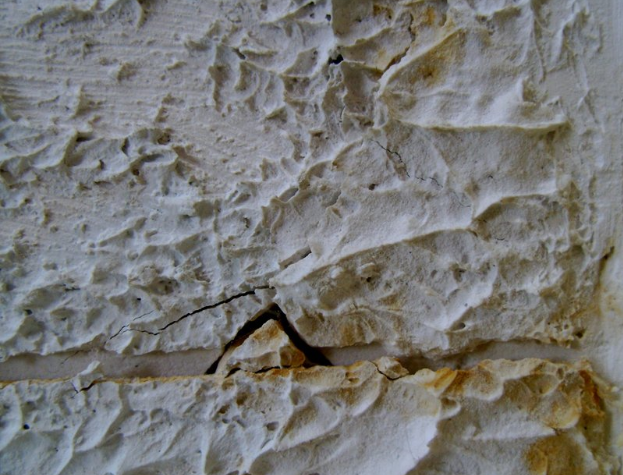
Cracks elsewhere in the room may also deserve attention, especially when they are widening or accompanied by sticking doors, sloping floors, or visible movement. Guidance on foundation cracks can help distinguish minor surface changes from warning signs that warrant a closer inspection.
Seasonal home maintenance also reduces the chance of related problems. Keep moisture away from the building envelope, inspect attic areas for leaks, and avoid placing heavy objects or storage against vulnerable ceiling surfaces. A fan should be treated as part of the home’s electrical and structural system, not as an isolated decoration.
Practical Steps For A Lasting Repair
Once the fan is stable, run it at each speed for several minutes. Listen for new sounds and watch for movement from different angles. A fan that is quiet at low speed but shakes strongly at high speed still needs further balancing or inspection.
Keep the model number and installation instructions available. Manufacturer-specific blade spacing, mounting hardware, and weight limits matter, particularly when replacing blades or adding a light fixture. Avoid mixing parts from different fan models unless the manufacturer confirms compatibility.
Use this maintenance checklist:
- Clean the blades and housing before diagnosing vibration.
- Tighten blade, bracket, canopy, downrod, and light-kit screws.
- Confirm that the ceiling box is fan-rated and firmly attached.
- Replace cracked blades, missing clips, and damaged hardware.
- Stop using the fan if it sparks, smells hot, sags, or vibrates severely.
Know When To Call An Electrician
Some repairs should not be handled as a do-it-yourself adjustment. Call a qualified electrician if the electrical box moves, the ceiling material is damaged, wiring insulation is cracked, or the fan repeatedly loosens after tightening. Professional help is also appropriate when the fan is unusually heavy or mounted to an inaccessible vaulted ceiling.
A persistent wobble after balancing may indicate a bent shaft, worn bearings, a damaged motor housing, or an assembly defect. Continuing to operate the fan can worsen the damage and increase the chance that a blade or fixture component will fall.
When replacing a fan, select a model rated for the room size and ceiling height, and confirm that the support box is designed for fan use. If you are also improving indoor comfort, pairing routine fan care with energy-efficient window film may help reduce heat gain near sunny windows. Around the exterior, maintain a dry foundation perimeter and choose termite-resistant mulch carefully so landscaping does not create hidden moisture or pest problems.
A stable ceiling fan should run smoothly, remain firmly attached, and produce no unusual noise. Work through the basic checks with the power disconnected, and document any parts that need replacement. If structural or electrical warning signs appear, stop the repair and arrange an inspection before putting the fan back into service.